Wednesday, December 11, 2013

Utilizing Web 2.0 tool and the 21st Century classroom

Week 16 Blogging Assignment - Which of the tools that you used this semester do you see yourself using as a future teacher? Why did you like the tool? How does it fit into your concept of a 21st Century classroom?

Over the last semester we have been introduced to and used numerous web 2.0 tools that we as future teachers can incorporate into our classrooms at all grade levels. There is a plethora of tools, concepts, and implementation ideas all over the web, twitter, and teacher websites. Edutopia is another great resource for finding web 2.0 tools and ways to teach utilizing the tools listed. One tool that I initially did not like personally was blogging. Now that I have reflected on the semester I have thought of ways to use it as a teacher in my classroom and intend to do so in the coming semester.

One way I intend to use my blog will be to use it to keep parents in the loop in regards to what their child is doing in my classes. As a parent I think I would like this because it allows me to follow along as they learn and to be engaged and help them with homework. For parents of high school students it is a way to keep up to date even when the student does not want to share as much with their parents anymore. I think that providing parents with bi weekly updates can help parents to find ways to stay engaged with their young adults as they begin to get too "cool" to talk to their parents.

One other tool I intend on incorporating into my class room is Linoit. Linoit is an online canvas that allows students to post sticky notes to it to ask questions or respond to answers. I think this will be beneficial for those students that are too shy to raise their hand to ask or answer questions. It allows all students a new way to stay engaged in the classroom.


Photo Credit:Kimberly Herbert via Flickr
 
 
Using tools such as flicker and blogger are great ways to help students develop 21st century skills by giving them the opportunity to show and develop effective oral and written communication. Ensuring that we continue to emphasize and target new ways to develop 21st century skills in all of our students is essential in continuing to produce career ready graduates that can either continue on successfully through college or become a contributing member of tomorrows work force.
 
 
image credit: Wikimedia.org


Monday, November 25, 2013

Gaming in Education


     When initially considering my thoughts on gaming in education I could not see how playing a Wii or Xbox in class could be beneficial. When I think of "gaming" I envision someone with headphones, a case of Mt. Dew, and Doritos playing for hours on end with fellow gamers online. I see students playing video games in Libraries on a college campus and consider it a waste of space and resources. Libraries are to read and study, not play Pokémon! When Jennifer LaGarde came to guest speak in one of my classes I got a new perspective on how gaming could be successfully implemented into education. She explained how they used a Nintendo Wii to help students understand math lessons such as mean, median, and mode by using a three point basketball shooting game. Students loved it, they got to play a game and directly relate it to education! Such a simple concept yet most people would have never thought to incorporate a gaming system into schools.
     I do not think I would personally use video games in my classroom as a Business and Marketing teacher but I do see how, if employed correctly, games could develop an atmosphere of fun in learning. It also gives students something to recall when thinking of how to apply things such as mean, median, and mode. I think the basketball game is a great example and can see how many other sports games could be incorporated as well. Using a game like Roller Coaster Tycoon could also be used to reinforce business and marketing classes. There continues to be emerging data that suggests that using games in education could be beneficial such as this website. Joel Levin is also using gaming in education by incorporating Minecraft into his 2nd grade classroom. I believe as more and more teachers develop ways to use games in their classrooms this will be a growing and positive trend.


Video Credit: DMLResearchhub via YouTube


Video Credit: iu via YouTube

Tuesday, November 19, 2013

Digital Assessment


Teachers enter the classroom daily ready to continue guiding, encouraging, and educating students as they grow and learn through the years. Students are given new content and concepts daily but it the teachers job is not just to teach but to assess learning and ensure that students are understanding and retaining the knowledge they are being taught. One way to do this is by using web 2.0 tools to teach and to asses learning. Niace.org says that digital Assessment looks at all the ways that learners, teachers and institutions use digital technology to understand how progress is being made in learning. It is made up of both initial and formative assessment, which informs the learning process, and summative assessment, which describes learners' achievements at the end of a period of study. Methods of assessment vary among content areas and thus one method can not be employed across the board. Project based learning (PBL) gives students a hands on approach to demonstrating their level of understanding and gives students a degree of freedom in developing their work. I like the use of PBL as a student but also feel that students need to be assessed in varying ways to ensure that we are developing students to be well rounded. Requiring students to write, think critically, even doing standard true false or multiple choice assessments all have their place and assess students at different levels. For technology based assessments it seems as if PBL assessments are best. It allows students to use the technology to learn, interact with, and present their project based on what they have learned. Rubric's have become a very helpful resource for students and teachers alike. For teachers it allows them to have a guide in assessing and grading assignments fairly and ensuring each students work is graded according to the same guidelines. It helps students by giving them a document to reference while completing their assignment to ensure they are covering all required aspects of the assignment. Students learn in many different ways and that also means as teachers we should find various ways to assess their learning.


                                                                                          Video Credit: Buck Institute for Education via youtube


Tuesday, November 12, 2013

Digital Storytelling

Digital storytelling allows everyday people to put their thoughts or experiences into motion by putting them into a short clip or digital presentation to share with others. It can range from a collaboration of still images presented in a slideshow put to music to a full motion video presentation. A lot of people are doing this everyday but do not realize they are. Youtube has become a way for people to put their stories and experiences out there for the world to see. While digital storytelling is being done to document many aspects of peoples lives we can also use it in education to allow students to experience the lessons and to show what they have learned in a new way. Doing so allows students to become more involved in the lessons and helps teachers to incorporate technology into the class in new ways. Students can map out their ideas ahead of time and review peers ideas before putting their ideas to work. Giving students new ways to experience and display their work allows teachers ways to evaluate student comprehension, lesson effectiveness, and gives students a sense of accomplishment when they have created their digital story for their teacher to see. There are resources available to help with development and places to see examples. Digital storytelling can help in opening and finishing lessons and can also be used within lessons to help increase students comprehension. This blog has links to multiple digital storytelling resources.

photo credit: dkapuler
 
 video credit: kvnblndng via youtube

Tuesday, October 29, 2013

Video in Education

     Using video in classrooms has been around since VHS tapes. They have been used as supplements to instruction to give students a different perspective of a lesson and to see the material in motion. This can be very useful when teaching a subject that requires in depth descriptions or complex material. Allowing students to visually see how things work and witness them happening can greatly increase their retention of the lessons. Video in the classroom has evolved since the times of VHS and now students are not only watching videos but they are creating and developing videos themselves to present to fellow students and teachers. This new use of videos allows students to reach higher levels of Blooms revised taxonomy.
     I think using already made videos can be a valuable resource and intend on using them in my classroom as long as I can find some that really drive home the point of the lesson or can help to facilitate learning of a lesson effectively. I do not think they are necessary for every lesson but do think for some lessons they can really help students to grasp some material. I would also like to allow students to create their own videos as a cap stone project to show how they bring all the material together into one final culminating point. There are resources available to teachers to help them integrate video production as a project. Below are some examples of ways that videos can be used in todays 21st century classroom.
Video Credit: Kristyna Maree via youtube
Video Credit: Cisco via youtube               

Monday, October 21, 2013

Web 2.0


Web 2.0 tools are continuing to gain popularity in todays classrooms. As teachers are introduced to the tools and sites available to them and ways to incorporate them classrooms are coming alive with student activity and contributions. Students are being introduced to new ways of being involved in the classroom and finding new ways to have their voice heard and potential seen in a new light. There are many resources out there for teachers to utilize to make a more interactive classroom.
In my limited use of web 2.0 tools, my favorite so far is linoit. I like that all students can post to it and can do so anonymously. I think this can be especially useful for those students that may be too shy to speak up in class. This tool can also allow a teacher to gauge student comprehension of a lesson and allow them to address any areas where they see a lack of understanding rather than just continuing to move on.


photo credit: gruetisabelle


Thursday, October 17, 2013

Wikipedia

 
The page that I edited and monitored was the Marine Corps Wikipedia page. The username I used was michaelncsued. After viewing previous posts and edits it was apparent that there are many people dedicated to maintaining the sites integrity and ensuring the information presented is accurate. I like the joint effort of maintain the page. If I made a page I think I would like for others to contribute by adding pertinent information and helping to update it as needed. On the Marine site I only made a minor edit and at the time of writing this no one had changed or reverted it. I was not involved in any talk pages but did read through a few previous ones and they were very respectful and insightful. I think that I will continue to check the page that I updated because it is a useful resource. I don't think I will be checking to see if my changes were deleted or reverted. I do not think I will continue to edit pages in the future. I do not use the site enough and when I do I am usually seeking information and do not know enough about the topic to contribute to the page. I think I would use Wikipedia in my classroom in the future but only if I have viewed the specific page prior to class to ensure that the information is valid. It can also be used to find additional resources by viewing the works cited at the bottom of the page. I will not use the site as a main source of information for the purpose of education.

Monday, October 7, 2013

PLN's and Twitter

 
Personal Learning Networks (PLN) is the collection of people with whom you engage and share information with. These networks can consist of peers within your school as well as people that you interact with on social media sites such as Twitter or Facebook. It is important for teachers to be engaged in PLN's to be able to share and learn of new ideas pertaining to their profession, content area, and new strategies to best engage students and incorporate new activities into their classroom. Some new teachers may be unaware of how to become involved in PLN's outside of their local school. There are many resources such as this site that inform teachers of ways to become involved in PLN's. Twitter has become a very useful tool in staying connected to PLN's across the U.S. and around the globe. Just as twitter is useful to teachers, it can be useful to students both inside and outside the classroom if implemented correctly by teachers. Some of the ways that teachers can use twitter in the class is by creating a twitter chat during class to discuss a lesson or current topic with students tweeting their responses. Students can also tweet links to useful sites as resources for their fellow students to use. Students can also follow important people as they pertain to their class such as a Marketing executive or business CEO for business and marketing education. I personally have not had any teachers that have integrated twitter in my classes but have been introduced to methods and examples of how to implement them in a current class I am taking.
Being introduced to using twitter in education has also led to me taking part in my first twitter chat. I participated in #edtechchat. It was a very fast paced hour with a continuous flow of tweets. I did see a few good resources and thought provoking tweets but the chat was so fast that it was very difficult to keep up with all the tweets and retweets. Overall I think that particular chat was too full and flooded with tweets to be able to take anything worth while away from it as a whole.
As a teacher I do not think I would use twitter in my classroom. There are so many other tools available that are more student friendly and that do not require students to create accounts that can be linked to inappropriate content online. As far as developing PLN's I do see how twitter can be useful and can lead to more ways of connecting to PLN's in your local area as well as across the U.S.
 
Photo Credit: Warrick Mole via picasaweb
 
Video Credit: Skip Via via youtube


Monday, September 30, 2013

Copyrights in Education

     Copyrights play a major role in protecting individuals from having their works stolen or reproduced and also gives the copyright holder the right to be credited for their work. The copyright was originated with the development of the printing press. It was established after there was concern about the unregulated copying of books. England's Parliament passed the Licensing of the Press Act 1662 that established a register of licensed books. The US developed the Copyright Clause in the US Constitution in 1787.
     The goal of Copyright is to continue to stimulate creativity amongst people. Brankos Weblog does an excellent job in explaining how copyright continue to foster creativity by protecting peoples works. If anyone could freely copy and make money off of other peoples creations and ideas than people would be less inclined to put in the work of coming up with new ideas if they know anyone could take it and make money off of it as if it were their own. Why do all the work if you could just as easily take someone else's ideas and make money off of them, that's a lot easier. Copyright laws prevent this and continue to ensure that peoples creative works are protected which allows everyone equal creative protection.
     One area that copyright does not protect against copying is when such reproduction falls under "Fair use and fair dealing". Fair use is not clearly defined and is in a way open to interpretation in some ways. It does give four non-exclusive factors to consider in a fair use analysis. These factors include:
  1. the purpose and character of your use
  2. the nature of the copyrighted work
  3. what amount and proportion of the whole work was taken, and
  4. the effect of the use upon the potential market for or value of the copyrighted work
These factors are a guideline to follow and can be very important when considering using works for the purpose of educational aides in todays classrooms. With technology becoming more available to students at all grade levels teachers must be aware of the fair use policies when using works, including music in their own or student presentations, and when using copyrighted works to supplement instruction. Columbia University Libraries has a very informative site that does an excellent job in describing fair use, provides a fair use check list, guidelines, and provides case summaries as well.
     As a teacher I feel that I need to be very aware of how I am using copyrighted works in my lessons and activities to ensure that they fall under fair use. Fair use statute explicitly lists teaching as an acceptable use but I also have to be sure that the work is transformed and not merely copied in its entirety. The quantity used of a work is also important. I know as an educator I can not simply copy a whole book or document to be used in class. It is important to only use necessary passages to supplement your intended lesson and purpose. As I enter the classroom in the next few years I will be mindful of what I and other teachers are using in our classrooms and ensure their use fall under the fair use guidelines.

Video Credit: Renee Hobbs via YouTube.com


Photo Credit: Renee Hobbs

 
Photo Credit: Meredith Atwater
 

Monday, September 23, 2013

Digital Citizenship


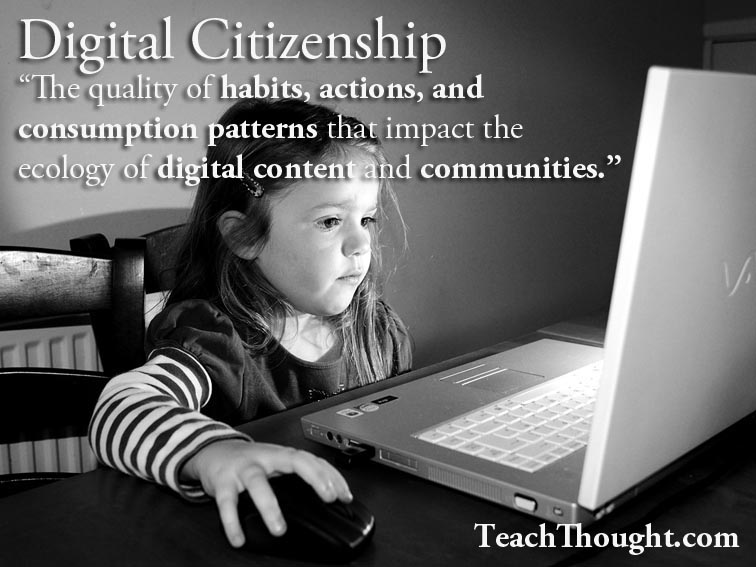
Digital Citizenship is important to teach to students as many do not understand how the pictures they post or things they say via digital media can adversely affect them in the future. Many of us have seen or heard of someone being judged by their Facebook or twitter posts or even by text messages they gave sent to a friend or coworker. While we have now learned form our own mistakes or the mistakes of other concerning digital citizenship many of our students have not. It is our job as educators to make them aware of the consequences they may face based on what they post online and provide them real world examples that they can relate to.

I value the ability to see how people interact online when they feel safe behind a keyboard. Many people are completely different when you converse with them than what you may see in their online lives. George Corous wrote a very informational and eye opening blog concerning digital citizenship. He showed teachers the posts of two students that went to their school who teachers said were model students. The things the teachers seen were far from what they expected from those students. It shows the many faces that people can display and the importance of teaching students the importance of digital citizenship.

I think that we can implement social media in some form in our classrooms to introduce them to proper uses and acceptable practices. If we can reach students early enough and open their eyes to the affects social media can have on their lives we may be able to set students up for success in terms of digital citizenship and their on line lives.

Photo Credit:Thomas Galvez


Photo Credit: http://www.teachthought.com/technology/the-definition-of-digital-citzenship/


http://www.youtube.com/watch?v=oCkTmZ0bF5Q

Monday, September 16, 2013

The Digital Divide

What is the Digital Divide? Why is it important to teachers? Use data to back-up your argument.

As smart phones, tablets and laptops become increasingly popular in todays society it seems only logical that students begin to use them in our classrooms. They engage students in lessons and offer them new ways to experience the material. As more and more Americans own these devices throughout the U.S. many tend to forget just how many people still have no access to such devices or even the internet. This lack of connectivity creates what many call the "Digital Divide". It is the gap created between those with and without access to technology and the world wide web. This is not only an issue in our own country but creates a divide amongst countries all over the world. How Countries compare

As teachers we must be aware of this divide and the potential that we will have students in our classrooms with a wide range of technology access. This can range from students with tablets, PC's, and smart phones at their disposal 24/7 to students whose only chance to use a computer is in school. This creates a very wide gap in students' abilities to complete various types of projects, papers, and presentations both in school and after school. We can not assume that students have access to technology at home and never assume that every student will be able to effectively use a device or program. This means we have to talk students through processes that many may find easy to ensure that every student, regardless of familiarity is able to effectively use the technology we intend to use in our classrooms.

Internet users have increased dramatically over the last 20 years but it is still not available in every home across the United States either due to lack of service or affordability. This drastically impacts the people in the lower economic levels and sets up another barrier for them in terms of accessibility. As of Dec 2012 there were still 4% of Americans using dial up internet which is far too slow for todays internet packed with videos, detailed graphics, and large image files. At the same time 65% had access to broadband. This means at the end of 2012 31% of American homes were with out internet. This lack of connectivity directly impact how we can assign work, communicate with parents, and how effectively students can do research after school hours. The Divide is real and we as educators have to be aware of it!
photo credit: wik.uiowa.edu
photo credit: wik.ed.uiuc.edu
http://www.minnpost.com/minnesota-blog-cabin/2013/04/digital-divide-statistics-dont-give-whole-picture-gap-real
http://wik.ed.uiuc.edu/articles/a/c/c/Access_Group_3_SU_09_1758.html

Tuesday, September 10, 2013

Digital Natives


The idea of digital natives is logical however I do not believe in it completely. I do think that is easier for someone who has grown up with technology to learn and adapt to new technology over someone who is new to technology in general. That idea has been brought up, discussed and proven over time. The idea that we have to overhaul teaching due to kids growing up with technology is too far for me. I did learn that we need to be more aware of students abilities and find new ways to utilize technology to increase students learning. In the article it just sounded as the solution to the new generation is to make everything into a game. In order to keep students engaged we need to find games for each subject, I do not think that is the answer. Life is not a game and if that is the only ways you can keep your students focused than you may need to rethink your career choice. While I do not personally buy into the digital natives concept completely it is impacting people in the work force. Many companies would rather hire new employees, such as engineers, who have been taught using the newest technology rather than train older higher salary workers. It is more cost effective for them to take the newer younger employee at entry salary than to train and retain an employee making far more. They would rather let the older employee go as mentioned by David Grebow. http://knowledgestarblog.wordpress.com/tag/digital-natives/ The idea of digital natives is one that makes sense but some of the extremes associated with it such as learning styles are not ones I can buy into just yet.
photo credit: Judy Baxter via Flicker

http://edition.cnn.com/2012/12/04/business/digital-native-prensky
http://www.marketingsherpa.com/article/how-to/digital-natives-versus-immigrants

Tuesday, September 3, 2013

Integrating Technology Effectively

Across every state in the U.S. school districts are moving to put more technology in the hands of students and teachers as a new and exciting form of educational aids are developed. Teachers are finding new web 2.0 tools and software to utilize that help to keep students engaged and excited about learning. Many children are surrounded by technology in their homes such as computers, tablets, and smart phones and use them daily to play games and view videos or television shows. These interactive devices keep children entertained for hours on end. If these tools can do this for children why not make them educational and find a way to incorporate them into the classroom. For the children that are not surrounded by technology at home it is even more important to get the technology into their hands at school so they can learn and be engaged in technology and devices to better prepare them for a world that relies on technology.

Integrating technology into the classroom is not as simple as adding a few computers and a smart-board  or giving every student an Ipad. Just giving them the device does no good. Teachers need to find or be given software tools that aid in the teaching of a concept or that checks for comprehension. The technology should be a supplement to instruction rather than the instruction itself. Good technology integration flows in the classroom. It moves seamlessly through the lessons as a tool to help facilitate learning and keep students engaged. Many of us remember or are still subjected to long less than exciting lectures or endless power point presentations that seem to go on forever. Students lose focus and their attention is drawn else where. Technology integration will help to keep student focus and engagement by offering them a new and exciting  way to experience the material.

I personally have not had a teacher that has integrated technology effectively in my classes. The closest to doing so was a classroom that used clickers to take attendance, and administer short quizzes to check class comprehension. While this technology was useful to the teacher it did not aid in student comprehension or engage students in a lesson. The few times teachers have tried to incorporate technology into the classroom there was always something that prevented the tool from being effective such as student unfamiliarity, lack of connectivity to the internet, or just the technologies ineffectiveness at linking to the material. Integrating technology ineffectively is in a way worse than not incorporating any at all. It can take the focus off of the lesson, waste time, and in turn lower students levels of understanding. There is a large push to integrate technology into the classroom today but if the concept is pushed onto teachers who either do not know how or are not given proper tools to assist in their content area then school district are spending millions on electronic paper weights.

http://www.educationworld.com/a_tech/tech/tech146.shtml
http://www.edutopia.org/technology-integration

photo credit: Karen Mcmillan via Flicker


Monday, August 26, 2013

Why Technology?


Technology is an ever increasing asset used in schools all over the world today.  There are people who support and oppose technology in the classroom for a plethora of reasons. While I do not lean heavily toward one side of the argument or the other, I do see how some technology in the classroom can be beneficial.

One reason I feel that technology should exist in today's classroom's is to provide access and exposure to every child. Not all children have the opportunity to use technology on a daily basis and by giving them opportunities to do so in the classroom will allow them to develop skills that can keep most children on a level playing field somewhat as they progress through their education and on to future schools or careers. Providing technology to students in the classroom also allows them to experience lessons in new and exciting ways and offer students the chance to show their understanding of concepts through various forms technology based presentations as well as traditional.

The purpose of technology in the classroom is precisely as  I previously mentioned, to allow students to experience lessons in new and exciting ways. Reading a text or drawing a picture on a board can give the students a good foundation but seeing the lessons in action such as cells forming or tectonic plates moving gives students a visual aid that they will remember understand much easier than trying to develop the idea from their own interpretation of a text book.

When I was in school we did not have much technology, if any in the classroom. It was not until my junior or senior year that teachers in my school district were getting their own computers in their classrooms. The majority of the technology I was exposed to in school was VHS and Laser Disc. The experiences I did have with technology in school were positive however. They brought lessons to life and put them in motion. Doing so allowed for me to have a better comprehension of various lessons rather than just reading them for myself. Now that I am about to enter a classroom as a teacher rather than a student I look forward to incorporating some technology in my classroom. I do not want it to overtake the human dimension of teaching and having connections with students and helping them to develop their understanding of material. I want to use technology as a supplement to instruction and not the lesson itself.

http://www.edtechactionnetwork.org/why-technology-in-schools

http://www.huffingtonpost.com/2013/01/28/technology-in-schools-who_n_2568413.html